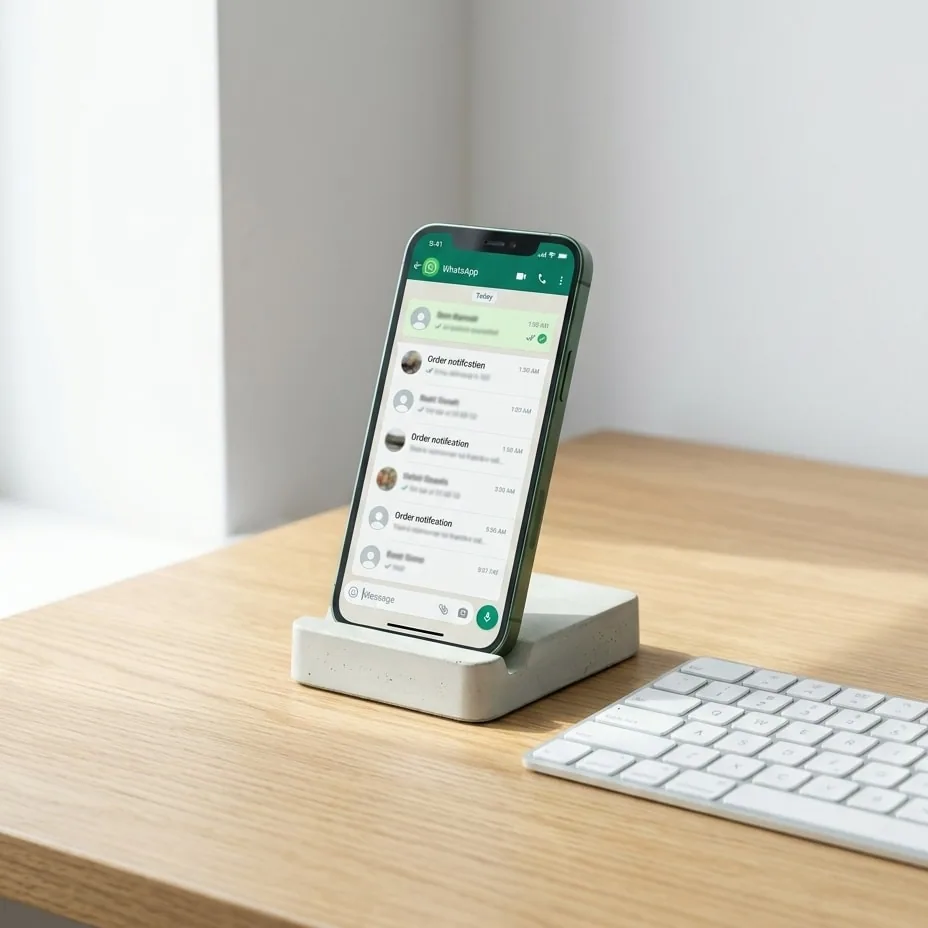
WhatsApp delivery status is an asynchronous webhook event dispatched by Meta's servers to indicate whether an outbound message has been sent, delivered to the recipient device, read by the user, or failed along the network path. Continuous tracking of these states enables engineering teams and ecommerce platforms to identify delivery failures, detect invalid customer phone numbers in real time, and trigger immediate automated fallbacks before notification failures hurt user experience or commercial revenue. This technical guide explores the message status architecture of the WhatsApp Cloud API, breaks down inbound webhook payloads, and details production-ready error-handling pipelines.
The Four Lifecycle Stages of a WhatsApp Cloud API Message
A WhatsApp delivery status lifecycle defines the progression of an outbound message from the initial API dispatch to user consumption on a physical device. When your application issues an HTTP POST request to the message endpoint, Meta returns a synchronous response acknowledging receipt of the payload along with a unique message identifier (wamid). From that point forward, all subsequent state changes arrive asynchronously through webhook event notifications.
The following table outlines the four core statuses, their infrastructure meaning, and the required system action:
| API Status | Technical Meaning | Chat UI Indicator | System Action & Business Logic |
|---|---|---|---|
| sent | The message was processed and accepted by Meta servers. | Single gray checkmark | Payload valid and queued in Meta distribution pipeline. No intervention required. |
| delivered | The message arrived at the recipient's active device. | Two gray checkmarks | Device is connected to the network. Message awaits user interaction. |
| read | The recipient opened the conversation view. | Two blue checkmarks | User confirmed impression. Downstream follow-up flows can be scheduled. |
| failed | Message delivery terminated with an explicit error code. | Red exclamation mark | Delivery failure. Parse error code array and execute programmatic fallback. |
Distinguishing between sent and delivered is critical for architectural reliability: sent only verifies that Meta's edge servers accepted the payload. If the recipient's phone is switched off, disconnected from cellular or Wi-Fi networks, or if the account is temporarily suspended, the message remains in the sent state for up to 30 days before expiring.
Parsing Webhook Payloads to Track WhatsApp Message Status in Real Time
When a message transitions to a new state, Meta dispatches an HTTP POST request to your configured webhook endpoint. The JSON payload contains structured arrays that map status events to specific outbound messages and recipients. Complete specifications for these payloads are documented in the Meta Webhooks Components reference.
{
  "object": "whatsapp_business_account",
  "entry": [{
    "id": "WHATSAPP_BUSINESS_ACCOUNT_ID",
    "changes": [{
      "value": {
        "messaging_product": "whatsapp",
        "metadata": {
          "display_phone_number": "972500000000",
          "phone_number_id": "PHONE_NUMBER_ID"
        },
        "statuses": [{
          "id": "wamid.HBgLMTY1...",
          "status": "delivered",
          "timestamp": "1711200000",
          "recipient_id": "972520000000",
          "conversation": {
            "id": "CONVERSATION_ID",
            "origin": {
              "type": "utility"
            }
          },
          "pricing": {
            "billable": true,
            "pricing_model": "CBP",
            "category": "utility"
          }
        }]
      },
      "field": "messages"
    }]
  }]
}
When engineering a webhook ingestion pipeline, your backend must address three structural realities:
- Event arrival order is not guaranteed: In distributed cloud networks, variable latency may cause a
readevent to reach your ingestion server milliseconds before thedeliveredevent arrives. Systems must implement state validation logic so an older state cannot overwrite a more advanced state in your database. - Recipient privacy settings suppress read receipts: When a customer disables read receipts inside WhatsApp privacy settings, Meta never emits a
readstatus event for one-to-one business chats. For these users,deliveredremains the terminal successful state even if the customer subsequently responds to the message. - Conversation-based billing triggers: The webhook status object carries a
pricingproperty. The initialsentevent within a 24-hour window establishes the conversation category (Utility, Marketing, or Service) and initializes Meta's commercial billing period.
Troubleshooting Failed WhatsApp Delivery Status and Error Codes
A failed status event is the most critical event to monitor in transaction-heavy ecommerce and SaaS platforms. When a message fails to deliver, Meta appends an errors array inside the status object containing a numeric code, error title, and descriptive metadata. The full list of potential exceptions is indexed in the official Meta Error Codes documentation.
"statuses": [{
  "id": "wamid.HBgLMTY1...",
  "status": "failed",
  "timestamp": "1711200005",
  "recipient_id": "972520000000",
  "errors": [{
    "code": 131026,
    "title": "Message Undeliverable",
    "message": "Message Undeliverable.",
    "error_data": {
      "details": "Receiver is incapable of receiving this message"
    }
  }]
}]
The following delivery errors account for the vast majority of notification drops:
- Code 131026 (Message Undeliverable): Indicates that the destination number is not active on WhatsApp, the customer has blocked your business phone number, or Meta's delivery integrity filters blocked the outbound communication. Automated retries to this number must be suppressed immediately.
- Code 131047 (Re-engagement Required): Indicates an attempt to send a free-form session message outside the 24-hour customer service window. Sending can only resume by dispatching a pre-approved template message.
- Code 130429 (Rate Limit Exceeded): Indicates that your account exceeded its allowed messaging throughput or tier limits. The ingestion worker should pause processing and re-queue failed attempts using an exponential backoff schedule.
Before deploying critical outbound triggers to production, teams should test edge cases thoroughly using our WhatsApp automation QA testing guide to verify that every error code maps cleanly to appropriate application logic.
Protecting Ecommerce Operations with Proactive Status Monitoring
When online stores deploy native integrations like WhatsApp for WooCommerce or WhatsApp for Shopify, delivery failures directly affect customer trust. A buyer who does not receive an automated order confirmation or dispatch notification assumes the transaction stalled, creating unnecessary inbound support tickets.
Implementing proactive monitoring of the WhatsApp delivery status enables three critical resilience mechanisms:
- Automated multi-channel fallback: When your system captures a
failedevent on a transactional order notification, an automated router can immediately dispatch the identical update via SMS to ensure delivery. - Database hygiene and CRM tagging: Flagging recipient numbers that throw error 131026 allows the CRM to deactivate WhatsApp messaging for that contact. This prevents wasted API expenditure and safeguards your Meta Phone Number Quality Rating against block penalties.
- Proactive escalation tickets: Instead of waiting for an upset customer inquiry, the system can automatically flag high-value shipping alerts that remain stuck or failed, notifying support agents to verify contact information directly.
Production Webhook Architecture: Building Resilient Ingestion Pipelines
A resilient ingestion server must be capable of processing sudden traffic spikes while guaranteeing message idempotency and data security. Production architectures should implement three foundational practices:
- Asynchronous processing with immediate HTTP 200 acknowledgments: Meta requires your webhook server to return an
HTTP 200 OKstatus within three seconds. Heavy operations—such as updating analytics tables, querying legacy databases, or dispatching external fallback requests—must never execute synchronously inside the webhook request lifecycle. The receiver service should validate the incoming payload, push it into an in-memory queue such as Redis or RabbitMQ, and terminate the connection immediately. - Idempotency keys on status events: Distributed messaging layers frequently deliver duplicate notifications during temporary network reconnections. Ingestion handlers must maintain a database record combining
wamidandstatus, ensuring identical incoming events are acknowledged without re-executing business workflows. - Cryptographic payload verification: To guarantee that incoming traffic originates exclusively from Meta, the receiver must validate the SHA-256 HMAC digest supplied in the
X-Hub-Signature-256request header using your Meta App Secret.
Building, scaling, and maintaining high-throughput messaging pipelines requires deep operational expertise across cloud APIs and enterprise integration standards. If your engineering team is architecting an enterprise notification engine or seeking to stabilize automated messaging workflows, get in touch with our technical team to schedule an architectural review.
Common questions
Why does a message remain in the sent status without switching to delivered?
A message remains in the sent status when Meta has successfully routed the payload, but the recipient device has not acknowledged delivery. This occurs when the destination phone is switched off, in airplane mode, lacking cellular connectivity, or operating with an inactive SIM card. WhatsApp continues attempting delivery for up to 30 days before dropping the message.
Can you track if a recipient read your message if they turned off read receipts?
No. When a WhatsApp user disables read receipts in their privacy preferences, Meta does not emit read status webhook events for individual business messages sent to that user. The most advanced successful status your webhook receiver will record is delivered, unless the customer explicitly sends a text response back into the conversation.
What is the technical difference between error code 131026 and transient Meta API errors?
Error code 131026 signifies a permanent failure, such as an unregistered phone number or an active user block, meaning future retries to that destination will consistently fail. In contrast, transient errors like code 130429 indicate temporary rate limiting or system throttling, which should be queued and retried using an exponential backoff algorithm.
Why do WhatsApp webhook status events sometimes arrive out of chronological order?
Meta distributes webhook events across globally distributed edge infrastructure. Variations in network path latency and server load can result in a subsequent read status reaching your ingestion endpoint milliseconds before the preceding delivered event arrives. Webhook consumers must validate message state sequences to prevent older states from overwriting newer records.
Try it on your own number.
WhatsApp, Messenger, Instagram and the AI chatbot — 7-day free trial, no credit card.